Panduan · 8 min read
Script Beats & Motion Guide: How to Control Your AI Live Host
Pasukan LiveFluencer.AI · Panduan Produk ·
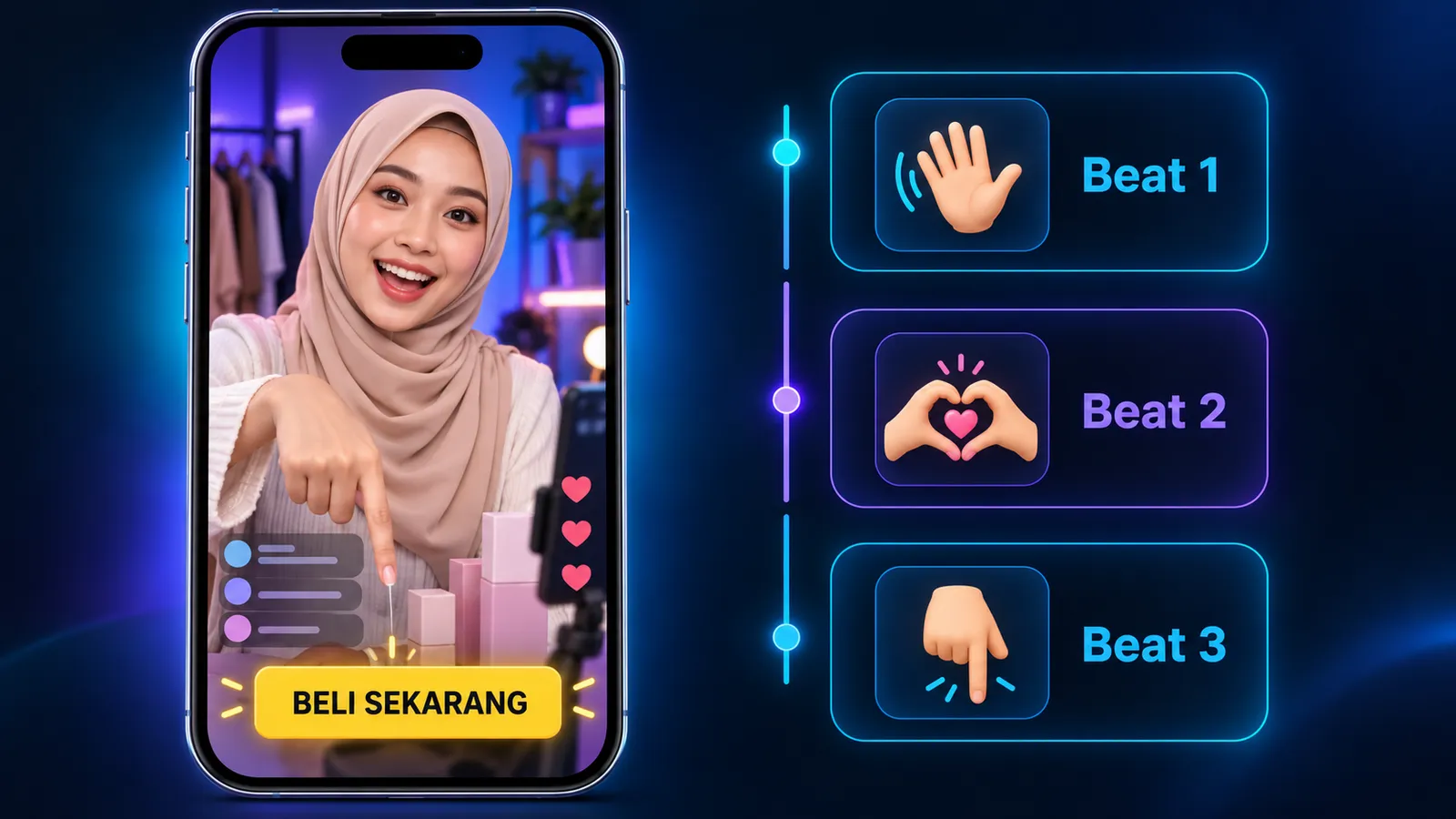
Your AI host speaks and moves according to three things you set in step 3 of the Go Live page: Script Beats (what the host says, in order), Motion (the gesture while speaking each beat) and the Motion Library (reactions to viewers who join, follow, send gifts and so on). This guide shows how to write all three so your live is more controlled and sells better.
How a live runs
When you press Go Live, the host: (1) says your greeting, (2) performs the product pickup straight away if you added a Product Pickup Beat (wherever it sits in the list, it always runs right after the greeting), then (3) plays the other beats from top to bottom. Each beat can't be interrupted. Viewer comments that arrive while the host is talking wait, and are answered in the gap after that beat.
In short: beats are when the host sells, gaps are when the host engages. A good live balances both.
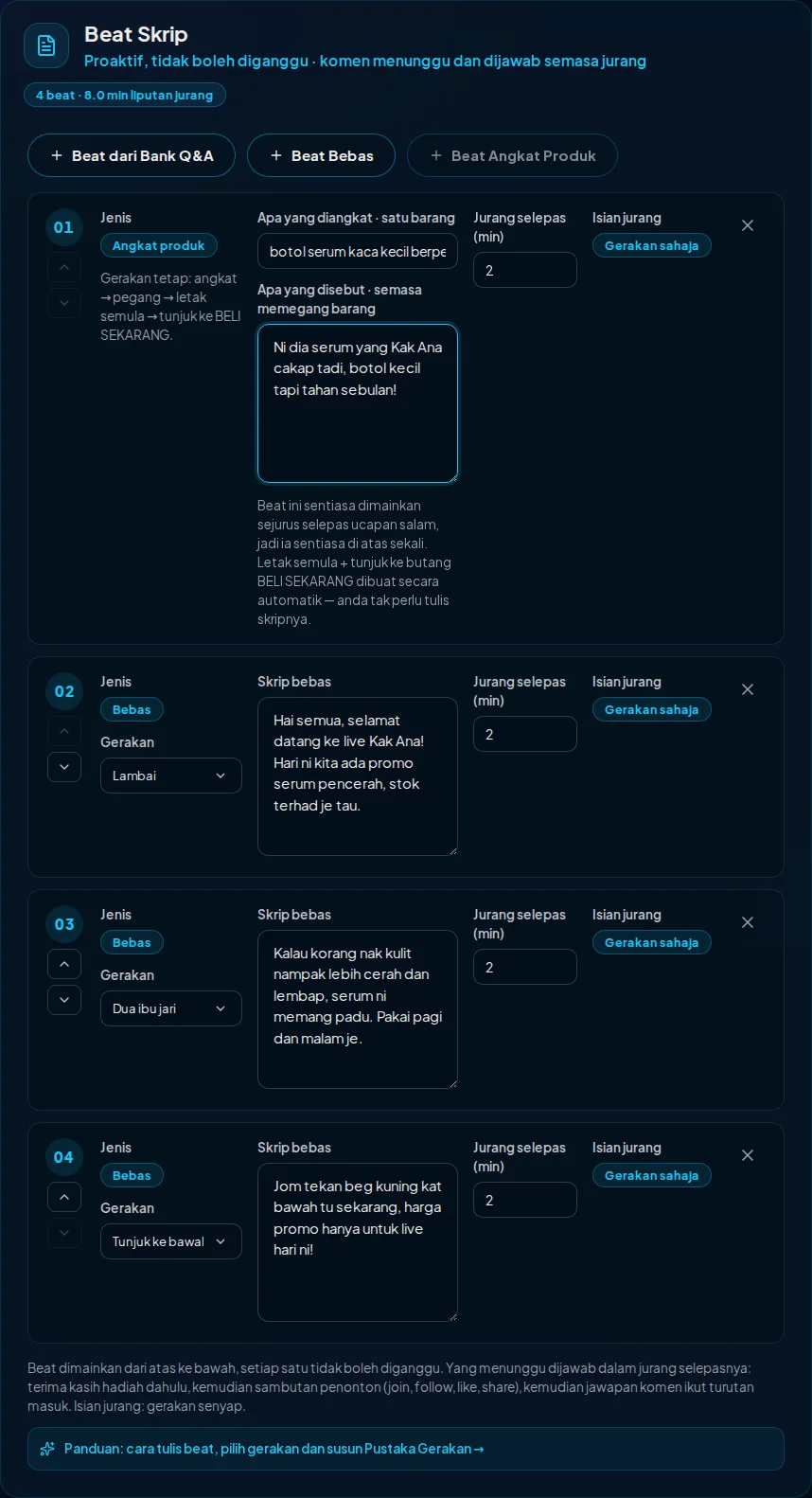
Three kinds of beat
Freeform Beat: you write the exact words the host says. Use it for the opening, product story, promotions and calls to buy.
Beat from Q&A Bank: the host speaks an answer from your Q&A bank, such as how to order or delivery info. Good for repeating key information without retyping it.
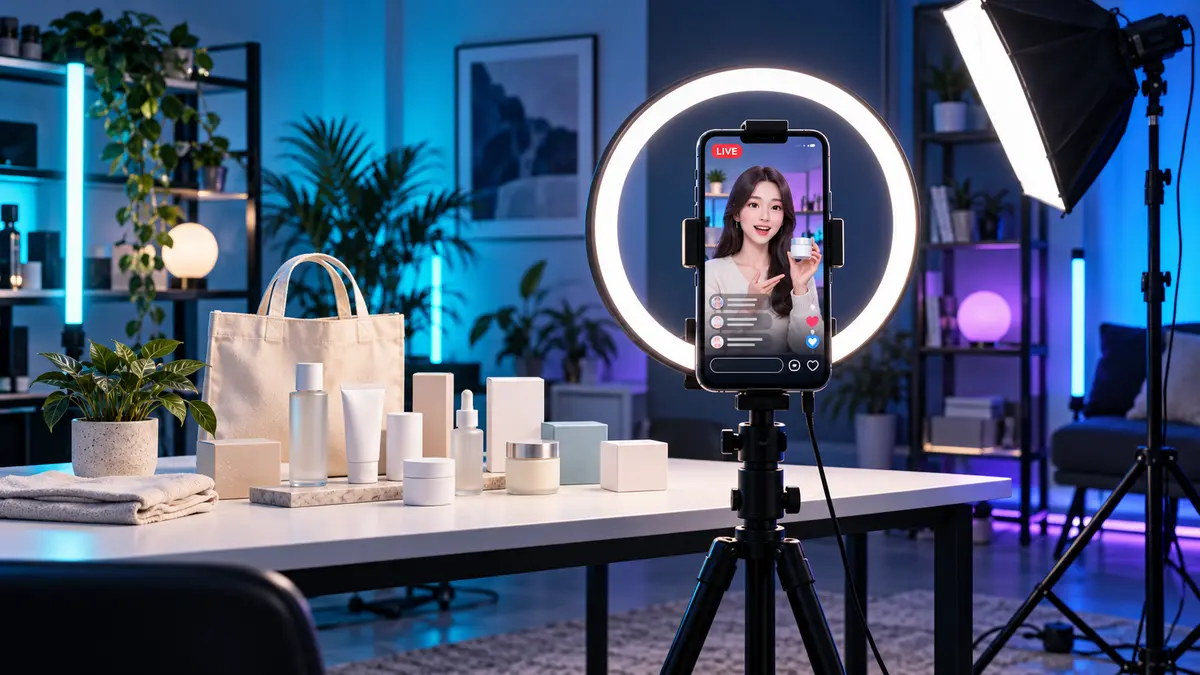
Product Pickup Beat: the host picks up and holds one product while talking, then automatically puts it back and points down at the BUY NOW button. It always runs right after the greeting, and the list always keeps it at the top. One pickup beat per session.
How to write beats that work
Write the way you speak, not like a printed ad. For Malay hosts, use casual Malaysian Malay (je, tak, nak, dah, kat, korang) and avoid Indonesian words like bisa, mau and banget, which can pull the host's pronunciation toward an Indonesian accent.
One idea per beat. Two or three short sentences (about 15 to 40 words) is enough. Very long beats make viewers wait a long time before their comments are answered.
You can write prices normally, e.g. RM39.90. For Malay hosts the system converts them to words automatically so they are pronounced correctly.
Also put product facts (price, size, stock) in the Q&A bank. When viewers ask, the host relies on the Q&A bank for product facts, so a price only mentioned in a beat may not be repeated accurately when a viewer asks later.
Pick a motion that matches the words
Each beat has a Motion choice. The host tries to perform that gesture throughout the beat. Match the motion to what is said:
Wave: opening greeting, welcoming new viewers. Point at camera: talking directly to the viewer ("yes, you watching right now!"). Point down: call to buy, "tap the yellow bag below" (viewers see the host pointing at TikTok's product button). Double thumbs up: praising product quality. Heart hands: thanks and appreciation. Clap: announcing a promo or milestone. Bow: thanking a big gift. Natural hand gestures: subtle, natural talking hands, good for explaining the product or longer answers. Salute, Peace sign: casual variety.
Tip: use Point down on the beat that asks people to buy. It's the most important gesture for sales because the BUY NOW button sits at the bottom of the TikTok screen.
Tip: gestures need time. A beat that is one short sentence may end before the gesture happens. If a gesture doesn't show, make that beat a little longer.
Tip: don't use the same motion on every beat. Variety makes the host look more alive.
Product Pickup Beat: describing the product
The host sees the product through your host photo. So the product must be visible in that photo, and you should describe it by what can be seen, not by brand name.
Good: "small glass serum bottle with a gold cap, to the right of the white box". Less good: "VitaGlow Serum". Give colour, shape, size and position relative to other items, especially when there are many products on the table.
Pick just one product to pick up per session. For other products, use Freeform Beats with Point at camera or Double thumbs up.
"What to say" is the line while the host holds the product. Keep it short, one or two sentences. Putting it back and pointing down at BUY NOW happen automatically.
Gap after a beat and Gap fill
Gap after (minutes) is the time after a beat for the host to answer comments. We recommend at least 1 minute. Very short gaps make a half-body host look frozen.
Gap fill decides what the host does when there are no comments: Motion only (smiles, nods, glances at the product every few seconds, free) or Motion + bridge (also says a short line like "One sec, reading your comments…", good for chatty personas, small voice cost).
Motion Library: reacting to viewers
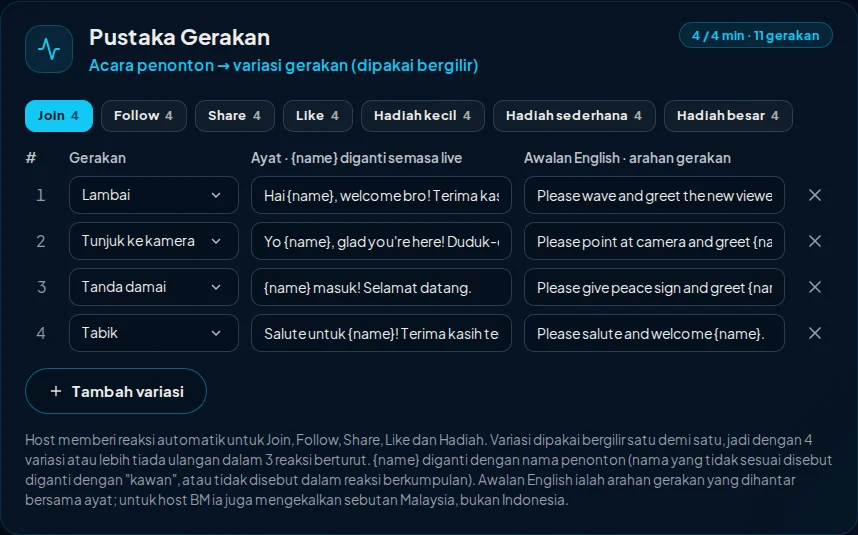
Open it under Advanced · Motion library. Each event has several variants, and the host uses them in turn, one after another. Right now the host reacts automatically to Join, Follow, Share, Likes and gifts (small, medium, large).
Each variant has three parts: the Motion, the Line (use {name} for the viewer's name, e.g. "Terima kasih {name}, sayang korang!") and the English prefix, a gesture instruction in English such as "Please make a heart with both hands and thank {name}."
Why English for the gesture instruction? In our tests the AI host performs gestures more consistently when the instruction is in English. The line spoken to viewers stays in your host's language.
Each event starts with 2 variants (enough to go live), and you can add up to 4. More variants mean fewer repeats in a long live. Viewer names that aren't suitable to say (random handles or rude words) aren't said: the host uses a generic word such as "friend" instead, or leaves the name out of group reactions.
Example 30-minute plan
After the greeting: Product Pickup (always at the top; show the main product) · 2-minute gap. Beat 1 (Freeform, Wave): welcome viewers and today's promo · 3-minute gap. Beat 2 (Freeform, Double thumbs up): product benefits · 3-minute gap. Beat 3 (Q&A: how to order, Point at camera) · 3-minute gap. Beat 4 (Freeform, Point down): call to buy, limited promo · 3-minute gap. Repeat the benefit and call-to-buy beats with different wording for the remaining time.
Not sure where to start? Press Auto-generate plan. It reads your photo and persona and suggests a Q&A bank, script beats and motion library. You can edit everything afterwards.
If the result isn't what you expected
Gesture not performed: make that beat's text a little longer, or pick a clearer motion (Wave, Point down and Double thumbs up are the easiest to recognise).
Pronunciation sounds Indonesian: switch to casual Malaysian words and avoid bisa/mau/banget.
Host picks up the wrong product: describe it by the colour, shape and position actually visible in the photo, and pick up only one product.
Host looks stiff between beats: make gaps at least 1 minute, or switch Gap fill to Motion + bridge.
Repetitive reactions: add more variants in the Motion Library for frequent events like Join and Likes.
The AI host follows these instructions well most of the time, but not 100% of the time. Test your plan in the Simulator first (simulator sessions also use credits, so press STOP when done), then take it to a real TikTok live.
Try your own AI host
1 credit = 1 live minute. You know the cost before you start.